3DSteroid Pro
StereoMakerPhotography
4.384.00 Reviews
- Version
- 4.31
- Installs
- 10.00K
- Age Rating
- Everyone
Screenshots
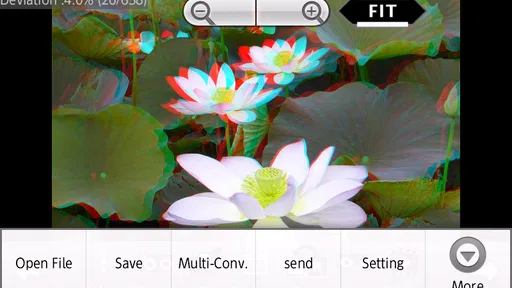
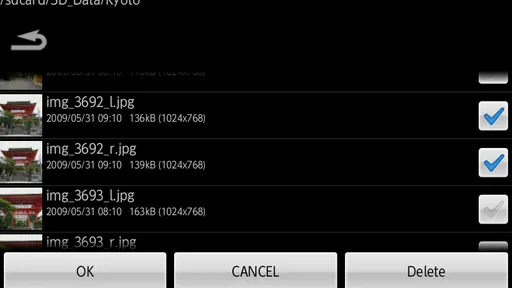
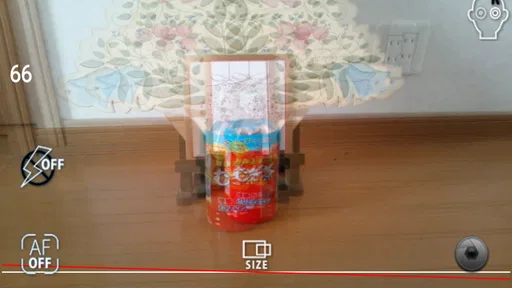
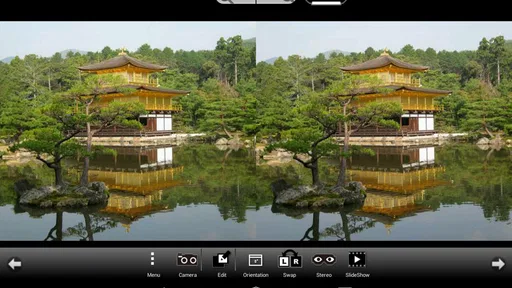
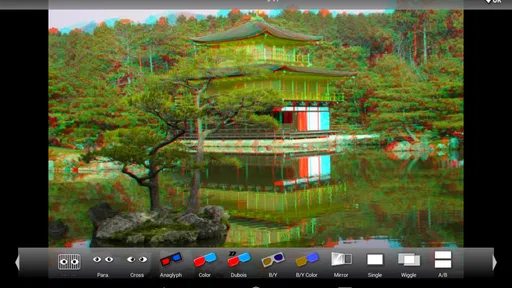
Our Review of 3DSteroid Pro
 Analysis by Appyee
If you're into 3D photography and looking for an app that can handle your stereo needs, you might want to check out 3DSteroid Pro. It's like having a mini 3D studio right in your pocket. As someone who loves exploring the world through different lenses, I found this app to be a fascinating tool. Let me walk you through my experience.
Where stereoscopic photos fit in everyday life
The appeal here is specific: this is not a general camera app with a 3D filter added for novelty. It is for making a pair of images that your eyes can read as a scene with depth. That changes how I think about a shot. Instead of asking only whether the subject looks good in a single frame, I pay attention to how close it is, what sits behind it, and whether those layers will still feel comfortable when viewed together.
A simple everyday example is photographing a small object on a desk. I would keep the object still, take the left- and right-eye views carefully, and use the alignment controls before deciding whether the depth feels natural. A mug beside a window, a toy against a shelf, or a flower with a clear background can make a more legible stereo pair than a busy scene with several objects crossing at different distances. The practical lesson is that composition matters twice: once for the photograph itself, and again for the relationship between the two viewpoints.
That process also makes the app useful for people who want to experiment rather than just capture a quick snapshot. You can compare a pair made from the camera with one assembled from existing pictures, then see how small shifts affect the result. I would not expect every ordinary photo to become convincing 3D; the two views need to work together, and a mismatch can be more distracting than a flat image.
A more deliberate shooting and editing workflow
For a cleaner result, I would choose a stationary subject and keep the phone level between the two shots. Moving the camera sideways is the key idea behind a stereo pair, but a large, careless shift can make the views difficult to fuse. I find it helpful to take the pictures slowly, check the alignment, and make modest adjustments rather than trying to force an exaggerated effect. Subtle depth often looks more comfortable than a dramatic pop-out.
There is a useful trade-off between shooting a pair yourself and starting with gallery images. Taking both views gives you more control over the scene and the camera position, which is especially valuable for still-life subjects. Existing images are convenient for experimenting or revisiting older photos, but they cannot always provide the viewpoint difference needed for a convincing stereo result. If the pair does not contain suitable perspective information, editing can improve its presentation but cannot magically recreate depth that was never captured.
I would also treat the viewing mode as part of the editing process, not merely a final presentation choice. Cross-eyed and parallel viewing suit different habits, while anaglyph output depends on having the familiar red-cyan glasses. Trying the result in the mode you actually plan to use can reveal alignment problems that are easy to overlook while editing. If a pair feels uncomfortable, reducing the depth or correcting its position is a better fix than asking yourself to strain harder.
For sharing, it is worth thinking about the recipient before choosing a format. MPO can make sense when the person viewing the image has compatible 3D equipment, while anaglyph is a more recognizable route for someone with red-cyan glasses. If you are sending a picture to someone who will open it on an ordinary phone screen, explain how they can view it or send a conventional image too. A stereo image is not automatically easier to enjoy just because it is easy to share.
Getting Started with 3DSteroid Pro
First things first, downloading 3DSteroid Pro was a breeze. A quick search in the app store, a tap on the download button, and I was ready to dive into the world of 3D image creation. Setting it up is as easy as pie. Right off the bat, the app greets you with a straightforward interface, and it’s pretty intuitive, which is always a plus in my book.
There is one practical point to weigh before installing: this is a paid photography app, priced at $2.49, rather than a free camera add-on. It is made by StereoMaker and is aimed at stereoscopic photography, so the purchase makes the most sense if you already want to create and view stereo pairs. It is rated for Everyone, has an average rating of 4.3 from around 580 ratings, and has been installed over 10,000 times. Those figures suggest a focused audience rather than a mainstream camera tool, which fits its specialized purpose.
Features that Stand Out
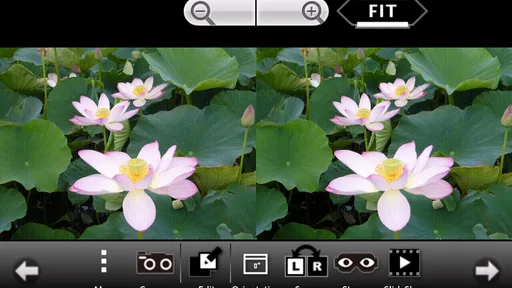
Now, let’s talk features. This app packs a punch when it comes to functionality. It allows you to create stereoscopic 3D images using your phone’s camera. You can either take two pictures for the left and right eye, or use existing images from your gallery. The alignment tools are quite handy, ensuring that your 3D images come out looking smooth and professional.
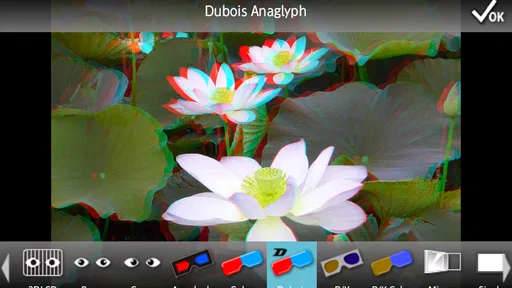
One thing I found particularly cool is the variety of viewing options. Whether you’re into cross-eyed or parallel viewing, the app’s got you covered. It even supports anaglyph for those who like the classic red-cyan 3D glasses experience. The versatility here is impressive, and it’s clear that the developers put a lot of thought into catering to different user preferences.
Compared with the usual alternatives in photography, the distinction is less about adding filters and more about handling two related views as one image. A standard camera app is quicker for everyday photos, and a general editor is usually better when the goal is color, retouching, or a polished single frame. This app is the more relevant choice when the purpose is stereo viewing and you want tools for alignment, depth, and presentation. It is not a replacement for a regular camera; it serves a different creative job.
Editing and Customization
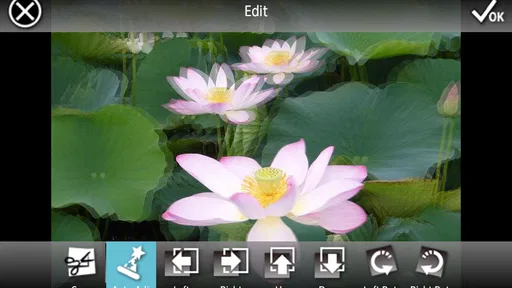
Editing photos in 3DSteroid Pro is a blast. The app offers basic editing tools like crop, rotate, and adjust, but it’s the 3D-specific adjustments that really shine. You can tweak the depth and alignment of your images to get that perfect 3D effect. I spent quite a bit of time playing around with these settings, and it’s easy to get lost in the creative possibilities.
Customization is another area where this app excels. You can choose from a selection of border styles and even adjust the aspect ratio to suit your needs. For someone who likes to personalize their creations, these options are a big win.
The careful workflow is also where I see the main learning curve. If you are used to taking one photo, tapping a filter, and sharing immediately, making a stereo image asks for more attention: you need a suitable subject, a second view, and time to check that the pair aligns. The editing controls can help refine a good starting point, but they do not remove the need for thoughtful capture. I would skip it if my main goal were fast social posts or routine family snapshots with no interest in 3D playback.
On the other hand, people who enjoy hands-on image making may appreciate that extra step. A useful way to learn is to keep the first attempts simple: use a still subject with a clear foreground and background, avoid moving people or objects, and compare a restrained depth setting with a stronger one. This makes it easier to judge what the adjustment actually changes instead of confusing depth problems with a complicated composition.
Sharing Your Creations
Once you’ve crafted your masterpiece, sharing it with friends and family is a cinch. 3DSteroid Pro lets you save your images in various formats, including MPO, which is a popular choice for 3D TVs and digital frames. Sharing directly to social media or sending via email is just a few taps away. I found this feature quite convenient, especially when you want to show off your 3D skills.
Before sending a pair, I would check that the person receiving it has a comfortable way to view it. A file transfer alone does not guarantee that the 3D effect will appear as intended on every display. If the recipient has no compatible viewing setup, a brief explanation or an alternate flat version can save confusion. That extra consideration is particularly worthwhile when sharing family or travel photos with people who have never tried cross-eyed, parallel, or anaglyph viewing.
Overall Experience
Using 3DSteroid Pro has been a delightful experience. The app is stable and runs smoothly without any hiccups. It’s clear that a lot of effort went into its design and functionality. The community around it is also quite active, with plenty of online forums to dive into if you ever need tips or want to share your work.
The app’s history and compatibility are worth keeping in mind as well: it was released on April 12, 2011, its current version is 4.31, and it requires Android 6.0 or later. That makes it a long-running, specialized tool, but anyone considering it should still check that their device meets the minimum system requirement. The age of the app is not a reason by itself to dismiss it; the more important question is whether its stereoscopic workflow matches what you want to do now.
For anyone interested in 3D photography, this app is a fantastic tool. Whether you’re a beginner or a seasoned pro, there’s something here for everyone. The blend of features, ease of use, and creative potential makes it a must-have for anyone looking to explore the world in three dimensions.
I would recommend it most to curious photographers who already have a way to view stereo images, or who are willing to learn how the viewing modes work. It is also a good fit for someone who enjoys making careful pairs of still subjects and adjusting them until the depth feels right. If you need a conventional camera for quick captures, advanced single-image editing, or a frictionless way to share pictures with anyone, a regular camera app or photo editor will be the more practical choice.
So, if you’re ready to see your photos pop out in a whole new way, give 3DSteroid Pro a shot. Who knows, it might just become your new favorite app!
Verdict
Strengths of 3DSteroid Pro
- Easy-to-use interface for quick 3D photo creation.
- Supports high-resolution images for clarity.
- Offers a variety of 3D formats for output.
- Includes editing tools for image enhancement.
- Compatible with multiple devices and platforms.
Limitations of 3DSteroid Pro
- Limited tutorial resources for beginners.
- Some features require manual adjustments.
- No cloud storage integration for backups.
- User interface could be more modern.
- Occasional lag on older devices.
Similar Picks in This Category
View All
Google Photos
Google LLC4.4

Gallery
Google LLC4.2

Picsart AI Photo Editor, Video
PicsArt, Inc.3.9

B612 AI Photo&Video Editor
SNOW Corporation4.1

BeautyPlus-Selfie Photo Editor
PIXOCIAL TECHNOLOGY (SINGAPORE) PTE. LTD.4.5

Remini - AI Photo Enhancer
Bending Spoons4.1
Frequently Asked Questions
What is 3DSteroid Pro, and what does it do?
3DSteroid Pro is a versatile app designed for creating and viewing stereoscopic 3D images on your Android or iOS device. It allows users to capture photos with a 3D effect using their device’s camera, edit the images with advanced tools, and view them in various 3D formats. It's ideal for photography enthusiasts who enjoy experimenting with 3D visuals.
Is 3DSteroid Pro user-friendly for beginners?
Yes, 3DSteroid Pro is designed with an intuitive interface suitable for both beginners and experienced users. The app provides tutorials and guides to help new users understand the basics of 3D photography. Additionally, its straightforward navigation and accessible tools make it easy to create impressive 3D images without requiring prior experience.
What are the main features of 3DSteroid Pro?
3DSteroid Pro offers several key features, including the ability to capture 3D photos using your device’s camera, advanced editing options like cropping and color adjustment, and multiple viewing modes such as anaglyph and side-by-side. It also supports importing and exporting images in various formats, making it versatile for different uses and preferences.
Are there any limitations on devices that can run 3DSteroid Pro?
3DSteroid Pro is compatible with most Android and iOS devices. However, for optimal performance, it's recommended to use a device with a good camera and sufficient processing power. Devices with older operating systems might experience some limitations or reduced functionality, so ensuring your device is updated can enhance your experience.
Does 3DSteroid Pro require any additional equipment for use?
While 3DSteroid Pro can be used directly with your smartphone's camera, for the best 3D viewing experience, additional equipment like 3D glasses or a VR headset may be required, depending on the viewing format you choose. These accessories can enhance the depth and clarity of the 3D images you create, providing a more immersive experience.
